MedImageInsight
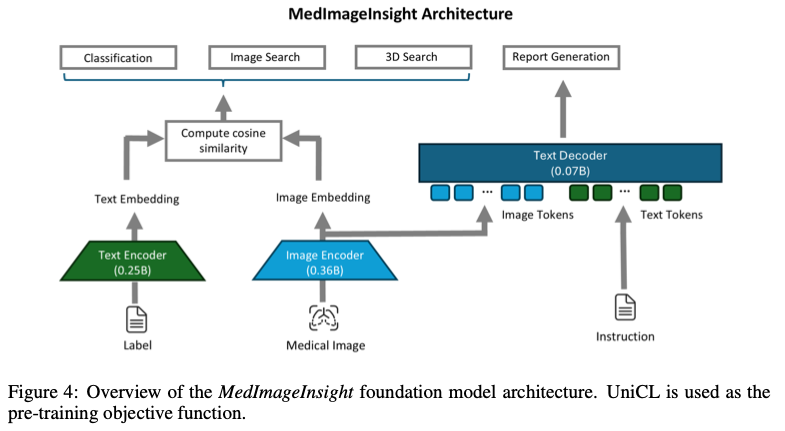
MedImageInsight: AN OPEN-SOURCE EMBEDDING MODEL FOR GENERAL DOMAIN MEDICAL IMAGING 论文中提出了一个用于医学图像的开源嵌入模型:MedImageInsight。该模型采用类似 CLIP 的双塔架构,一个塔是图像编码器,另一个塔是文本编码器:
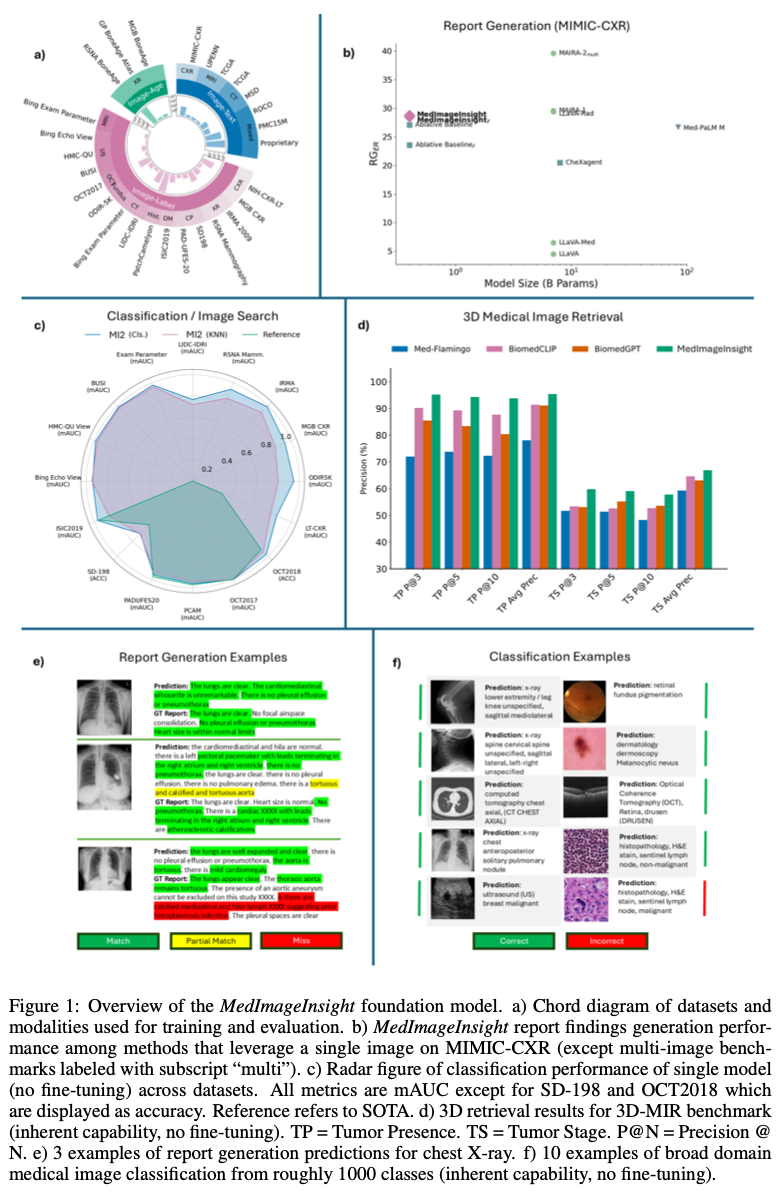
MedImageInsight 在未经微调的情况下,即可在分类、图像检索、报告生成等多种医学图像任务中表现出色:
Microsoft
该论文主要作者来自微软相关团队,在网络上搜索 MedImageInsight 相关内容,也可以找到微软提供的 MedImageInsight/MedImageInsight-onnx 模型卡片、一些 notebook 以及 如何使用 MedImageInsight 医疗保健 AI 模型进行医疗影像嵌入生成 等文档,然而想按文档方式使用此模型的前提条件是,一个 付费的 Azure 账户。
论文中提到的 See GitHub for a list of all of the descriptive text labels that we used 在 GitHub 公开仓库中也没有找到。
Thelion.ai

幸运的是,Thelion.ai 将模型从 Azure 下载并移除掉了一些限制,使其成为了一个不依赖 Azure 可独立运行的版本,并上传到了 Hugging Face:https://huggingface.co/lion-ai/MedImageInsights 。此外,还将依赖管理迁移到了 uv 下,添加了多标签分类等示例代码,并通过 FastAPI 创建了一个示例 HTTP 服务。
国内可使用 https://hf-mirror.com/lion-ai/MedImageInsights 镜像访问。
Docker Image
https://github.com/AlphaHinex/MedImageInsights 在 https://huggingface.co/lion-ai/MedImageInsights 的基础上,对相关代码运行时的问题进行了 调整,并通过 GitHub Actions 构建了一个 Docker Image,推送到了 Docker Hub。
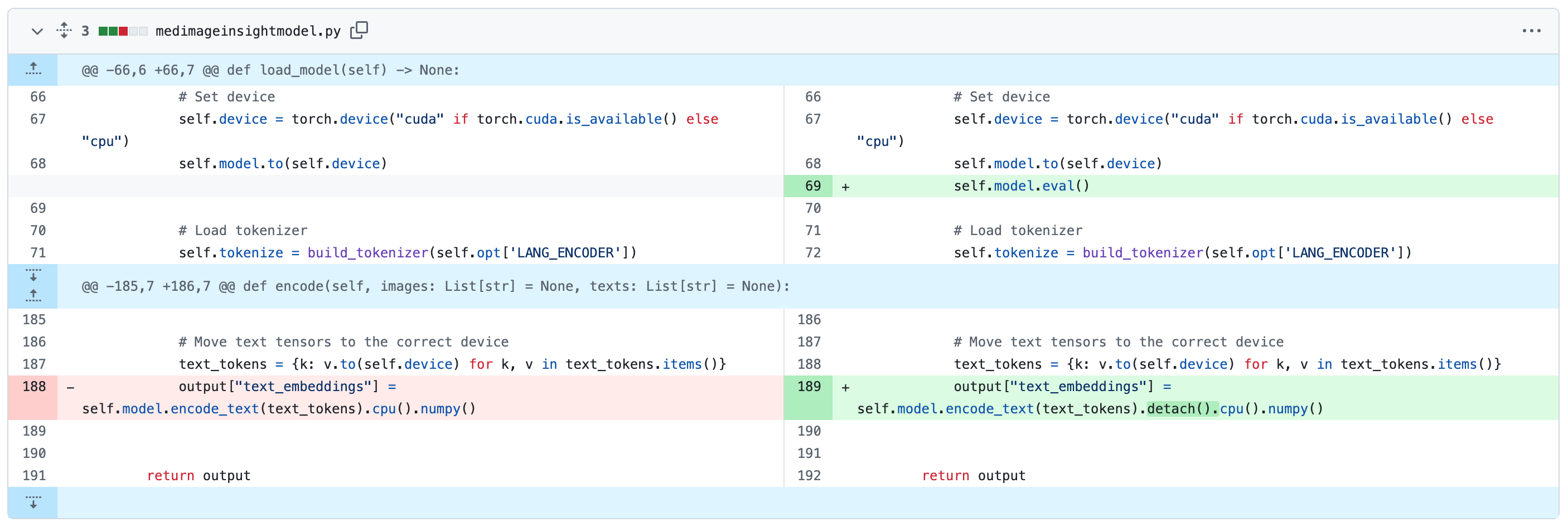
可参照下面方式直接拉取镜像使用:
$ docker pull alphahinex/medimageinsights:cpu
$ docker run --privileged --name mi2 -p 8000:8000 alphahinex/medimageinsights:cpu
INFO:     Started server process [11]
INFO:     Waiting for application startup.
INFO:     Application startup complete.
INFO:     Uvicorn running on http://0.0.0.0:8000 (Press CTRL+C to quit)
gpu 版本可更换为
alphahinex/medimageinsights:gpu。
访问 http://localhost:8000/docs 即可看到 FastAPI 自动生成的接口文档:

接下来使用下面三张图片进行接口测试:
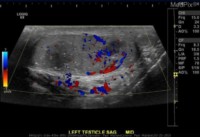
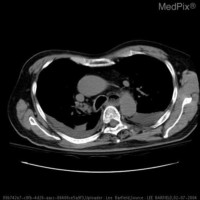
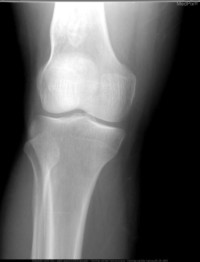
分类预测:
$ img1=$(base64 -i ultrasound.jpg | tr -d '\n')
$ img2=$(base64 -i computed-tomography.jpg | tr -d '\n')
$ img3=$(base64 -i x-ray.jpg | tr -d '\n')
$ curl -X POST -H "Content-Type: application/json" \
-d "{\"images\": [\"$img1\",\"$img2\",\"$img3\"], \"labels\":[\"X-Ray\",\"Magnetic Resonance Imaging\",\"Computed Tomography\",\"Ultrasound\",\"Dermoscopy\",\"Clinical Photography\",\"Optical Coherence Tomography\"]}" \
http://localhost:8000/predict
格式化后响应如下,第一张图片约 98% 概率为超声,第二章图片约 92% 概率为 CT,第三章图片约 99% 概率为 X 光:
{
    "predictions": [
        {
            "Clinical Photography": 3.913578723313549e-07,
            "Computed Tomography": 0.0025310341734439135,
            "Dermoscopy": 7.391983672278002e-06,
            "Magnetic Resonance Imaging": 0.00015236964100040495,
            "Optical Coherence Tomography": 0.010487924329936504,
            "Ultrasound": 0.9821637868881226,
            "X-Ray": 0.004657140001654625
        },
        {
            "Clinical Photography": 0.0005052403430454433,
            "Computed Tomography": 0.9238902926445007,
            "Dermoscopy": 0.00016611746104899794,
            "Magnetic Resonance Imaging": 0.0022810406517237425,
            "Optical Coherence Tomography": 0.022591199725866318,
            "Ultrasound": 0.011986842378973961,
            "X-Ray": 0.03857940435409546
        },
        {
            "Clinical Photography": 0.0005790339782834053,
            "Computed Tomography": 9.118935122387484e-05,
            "Dermoscopy": 4.344608441897435e-06,
            "Magnetic Resonance Imaging": 5.670949030900374e-05,
            "Optical Coherence Tomography": 5.706364390789531e-05,
            "Ultrasound": 3.7378162232926115e-05,
            "X-Ray": 0.9991742968559265
        }
    ]
}
注1:训练数据均为英文标签,推理时也使用英文标签效果更好。
注2:输入的图像不能包含 alpha 通道,否则会报错:
{
  "detail": "The size of tensor a (4) must match the size of tensor b (3) at non-singleton dimension 0"
}
调用 /encode 接口,图片和文字均可得到 1024 维的嵌入向量:
$ curl -X POST -H "Content-Type: application/json" \
-d "{\"images\": [\"$img1\"], \"texts\":[\"Ultrasound\"]}" \
http://localhost:8000/encode
$ curl -X POST -H "Content-Type: application/json" \
-d "{\"texts\":[\"Ultrasound\"]}" \
http://localhost:8000/encode