VS Code 中添加 AI 模型
Visual Studio Code(简称 VS Code)官方文档 Bring your own language model key 中介绍了在 VS Code 中添加更多语言模型的方法,包括 内置提供商(Built-in providers)、扩展(Extensions)、自定义端点(Custom endpoint) 三种方式。
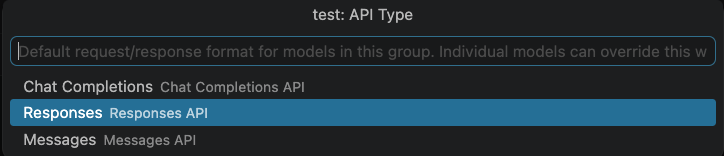
自定义端点支持三种 API 类型:Chat Completions、Responses 和 Messages。
添加模型步骤如下:
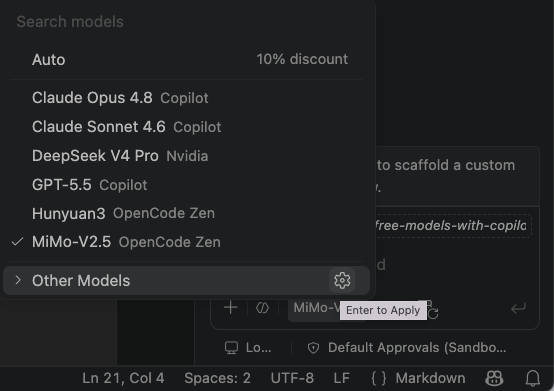
- 切换模型处选择其他模型后的配置图标:
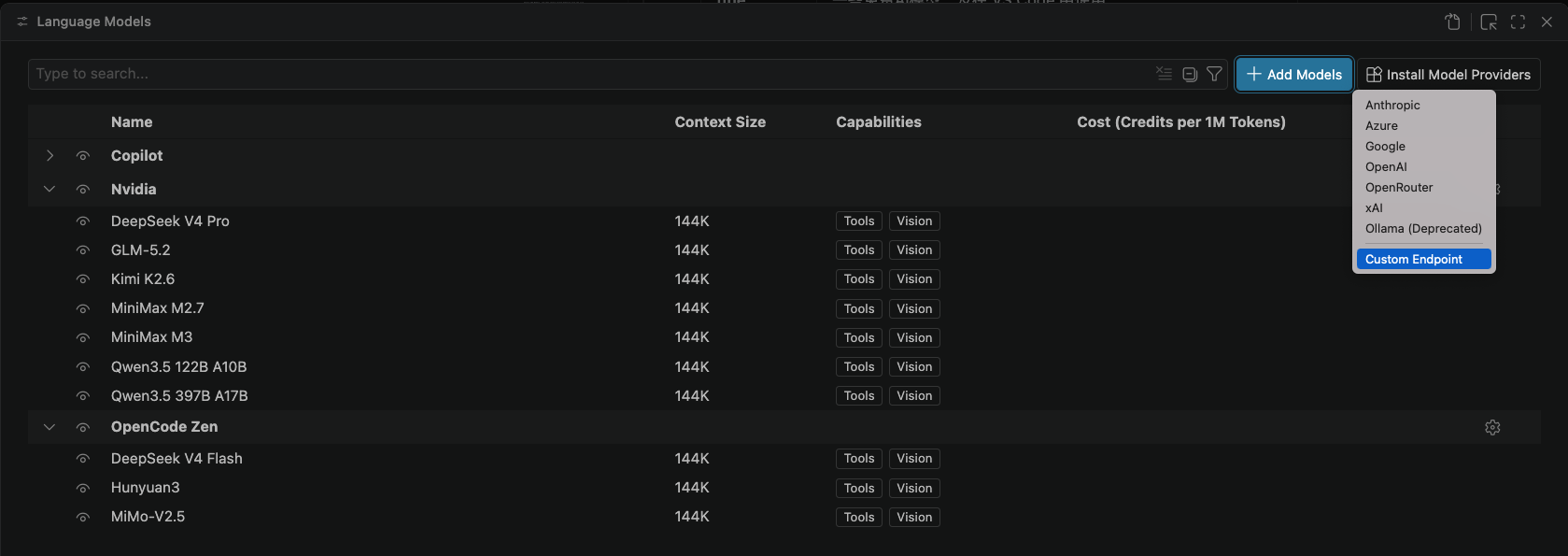
- 选择添加模型,然后选择自定义端点(Custom Endpoint):
- 为模型输入组名,这是在模型选择器和语言模型编辑器中显示的分组标签。组名后续可修改。
- 输入端点的 API 密钥,秘钥会以密文形式存储。
- 选择 API 类型:
- 之后 VS Code 会打开一个
chatLanguageModels.json文件,调用模型具体的模型名称(id)和完整url需在此文件中填写。有关配置属性的详细信息,请参阅 Model configuration reference。
下面是调用 Anthropic Messages API 的配置示例:
[
  {
    "name": "Anthropic",
    "vendor": "customendpoint",
    "apiKey": "YOUR_API_KEY",
    "apiType": "messages",
    "models": [
      {
        "id": "claude-sonnet-4-6",
        "name": "Claude Sonnet 4.6",
        "url": "https://api.anthropic.com/v1/messages",
        "toolCalling": true,
        "vision": true,
        "maxInputTokens": 200000,
        "maxOutputTokens": 64000
      }
    ]
  }
]
下面是调用 OpenAI Chat Completions API 的配置示例:
[
  {
    "name": "LocalHost",
    "vendor": "customendpoint",
    "apiKey": "${input:chat.lm.secret.xxxxxx}",
    "apiType": "chat-completions",
    "models": [
      {
        "id": "model1",
        "name": "Local Model 1",
        "url": "http://localhost:8000/v1/chat/completions",
        "toolCalling": true,
        "vision": true,
        "maxInputTokens": 128000,
        "maxOutputTokens": 16000
      },
      {
        "id": "model2",
        "name": "Local Model 2",
        "url": "http://localhost:8000/v1/chat/completions",
        "toolCalling": true,
        "vision": true,
        "maxInputTokens": 128000,
        "maxOutputTokens": 16000
      }
    ]
  }
]
Debug
在 VS Code GitHub Copilot Chat 中使用自定义模型可能会遇到请求失败的报错,如:
Sorry, your request failed. Please try again.
Client Request Id: 95903bd3-e7d5-435f-a842-45bcf985940b
Reason: token expired or invalid: 403: Error: token expired or invalid: 403 at qG._provideLanguageModelResponse (/Applications/Visual Studio Code.app/Contents/Resources/app/extensions/copilot/dist/extension.js:1690:14362) at process.processTicksAndRejections (node:internal/process/task_queues:104:5) at async qG.provideLanguageModelResponse (/Applications/Visual Studio Code.app/Contents/Resources/app/extensions/copilot/dist/extension.js:1690:15327)
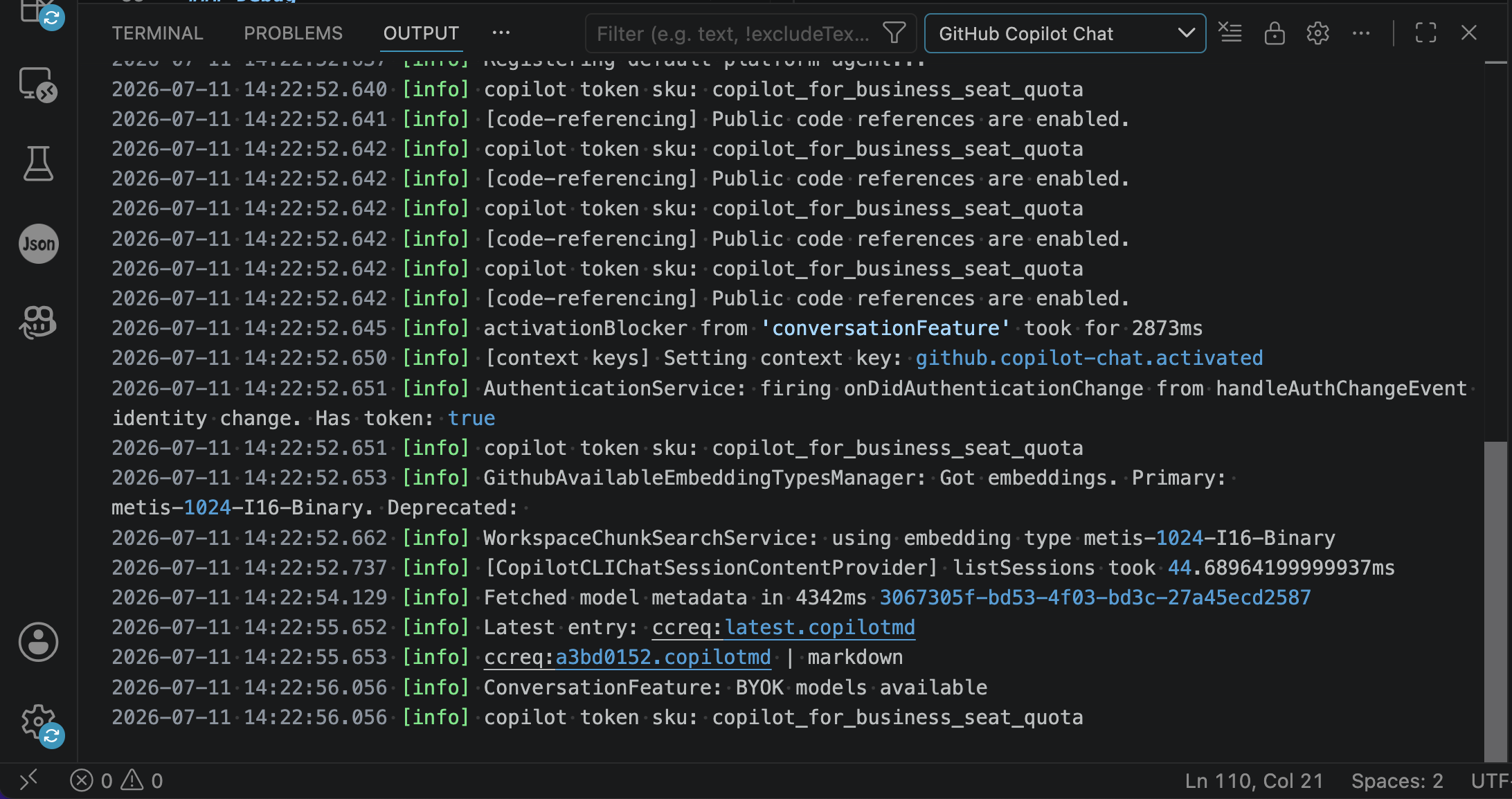
Meta: Sorry, your request failed. Please try again. #253136 给出了一些解决方案,如重试请求、更换模型、检查日志(CTRL + SHIFT + U 打开输出面板,选择 GitHub Copilot Chat 查看日志)等。
Free Models
| 模型 | 平台 | URL | 模型 ID | API Key |
|---|---|---|---|---|
| DeepSeek-V4-Flash | OpenCode Zen | https://opencode.ai/zen/v1/chat/completions | deepseek-v4-flash-free | - |
| MiMo-V2.5 | mimo-v2.5-free | |||
| Hy3 | hy3-free | |||
| DeepSeek-V4-Flash | Nvidia | https://integrate.api.nvidia.com/v1/chat/completions | deepseek-ai/deepseek-v4-flash | API Keys |
| DeepSeek-V4-Pro | deepseek-ai/deepseek-v4-pro | |||
| GLM-5.2 | z-ai/glm-5.2 | |||
| Qwen3.5-122B-A10B | qwen/qwen3.5-122b-a10b | |||
| Qwen3.5-397B-A17B | qwen/qwen3.5-397b-a17b | |||
| Qwen3-Next-80B-A3B-Instruct | qwen/qwen3-next-80b-a3b-instruct | |||
| MiniMax-M3 | minimaxai/minimax-m3 | |||
| Step 3.7 Flash | stepfun-ai/step-3.7-flash | |||
| Mistral Medium 3.5 | Mistral | https://api.mistral.ai/v1/chat/completions | mistral-medium-3-5 | API Keys |
留言